 pick a feature
Feedback Board for Mobile Apps: In-App SDK vs Hosted Board
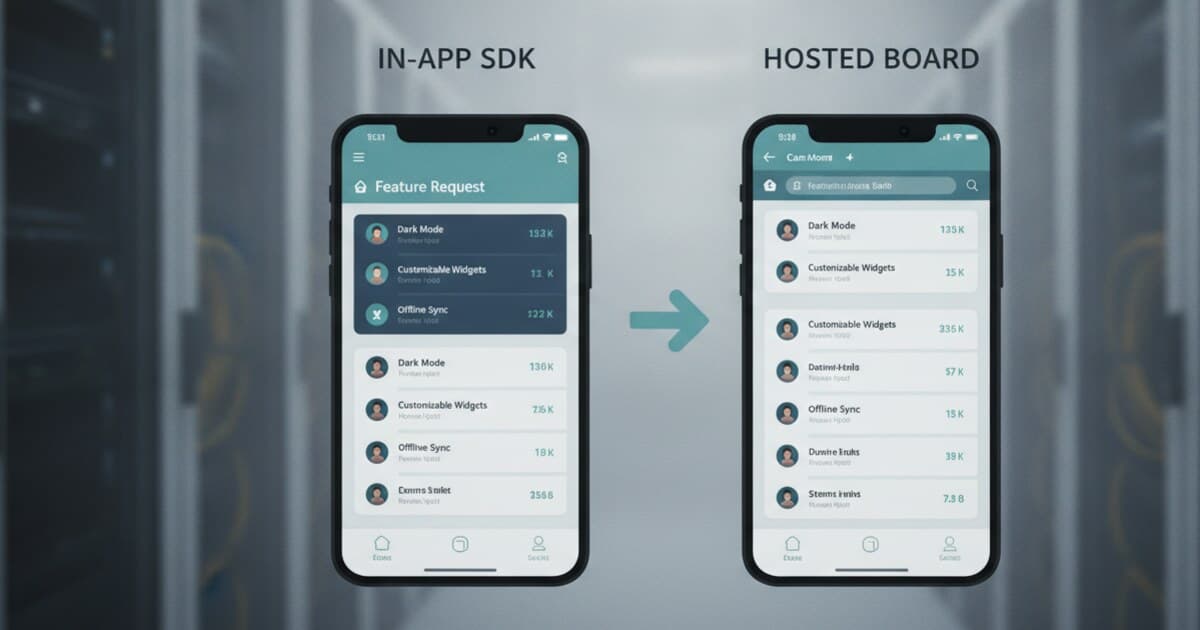
User feedback for mobile apps tends to end up in four bad places: one-star reviews, support emails, Slack messages from the loudest customers, or complete silence. A feedback board changes the dynamic. Users submit requests inside your app, other users vote on them, and you work from a ranked list instead of guessing what to build next.
The catch is that most feedback board tools were built for web SaaS products. Mobile developers on Flutter, iOS, Android, or React Native face a specific question: does the board live inside the app, or does it open in a browser? Both paths work, but they suit different tech stacks and budgets.
This guide covers what a feedback board actually does, the two integration paths for mobile apps, and which tools support each one.
A feedback board for a mobile app is a persistent space where users submit feature requests, upvote each other's ideas, and track status updates from the team. Every user sees the same request list, which concentrates votes around what users actually want built. Flutter SDKs and hosted board URLs are the two main integration paths.
What a Mobile App Feedback Board Actually Does
A feedback board handles one workflow: collect requests, rank them by votes, move them through a status pipeline. Survey tools, bug trackers, and NPS widgets are separate categories. The status workflow is what makes a feedback board useful for developers: requests move from pending through under review, approved, in progress, planned, and finally completed. Users who submitted or voted on a request can watch it move through those stages.
The managed feedback board market spans a wide range of tools, but most are built for web SaaS with no mobile SDK. The few that support mobile use one of two paths: a native Flutter/Dart package with drop-in widgets, or a hosted board URL opened in the app's built-in browser. Pricing runs from $0 to $79/mo at entry tier.
Pick a feature sits at the low end: free (1 project, 10 requests, no trial clock), $5/mo Starter (3 projects, unlimited requests), and $15/mo Unlimited. Canny starts at $79/mo. Building a custom voting board from scratch typically takes 80-120 dev-hours for the UI, voting logic, data model, and moderation, so even the cheapest managed plan pays for itself fast.
For Flutter apps, the SDK path drops the board widget into any screen in about 20 minutes with a single initialize() call and three pre-built widgets. For iOS, Android, React Native, or KMP, the hosted board at pickafeature.com/b/your-slug opens in an in-app browser with two lines of platform code.
The key question isn't just "which tool" but "how does the board surface to users." In-app SDKs keep users inside your app. Hosted board links open a browser, which loses some users but works on any platform without a native SDK.
Two Ways to Add a Feedback Board to Your Mobile App
In-app SDK renders the board directly inside the app as a full screen, dialog, or bottom sheet. Users never context-switch to a browser. Flutter has the most mature ecosystem for this: pick a feature's pub.dev package offers three drop-in widgets and runs across iOS, Android, web, and macOS from a single Dart codebase. Wiredash is another Flutter option, though its focus is bug reports and surveys rather than feature-request voting and status workflows.
Hosted board is the universal fallback. Every pick a feature project gets a public URL (pickafeature.com/b/your-slug). You open it in the platform's in-app browser: SFSafariViewController on iOS, Chrome Custom Tabs on Android, expo-web-browser on React Native. Users see the same board as your Flutter users, and votes from both surfaces count toward the same totals.
Both paths share the same dashboard. One project handles Flutter SDK requests and hosted board requests in the same kanban view, with the same moderation tools and per-platform analytics.
Best Feedback Board Tools for Mobile Apps
Most feedback board tools assume a web-first product. Here's how the main options stack up for mobile.
pick a feature ($0 free / $5/mo Starter / $15/mo Unlimited) has the only Flutter-native SDK built specifically for feature request voting and status workflows. Three drop-in widgets, one-line init with an API key, anonymous fallback via device UUID so users don't need to sign in to vote, and a hosted board for every other platform. Free tier is real: 1 project, 10 requests, no time limit, no credit card.
Canny ($79/mo entry) is the market leader for web SaaS. No Flutter SDK. Mobile apps use an in-app browser pointed at the hosted board. At 16x the cost of pick a feature Starter, it's priced for funded teams.
Featurebase ($59/mo entry) has an embeddable widget for web apps. For mobile, same hosted-board pattern. More affordable than Canny but still 12x the cost of pick a feature Starter.
UserJot (free tier available) is a newer web board with a genuine free plan. No Flutter SDK or mobile embeds. Strong for web-only products or teams that just need a public link to share.
Fider (open-source, self-hosted) gives you full data control and no monthly fee. No mobile SDK. You can still point users to the Fider URL via in-app browser, but you're managing a server.
For a wider look at mobile feedback tools across categories (feature requests, NPS, bug reporting), see the user feedback widget for mobile apps guide.
How to Set Up a Feedback Board for Your Flutter App
Pick a feature is the fastest Flutter path. The setup takes three steps.
Step 1: Add the package to pubspec.yaml
dependencies:
  pickafeature: ^1.0.4
Step 2: Initialize in main.dart
await PickAFeature.initialize(apiKey: 'YOUR_API_KEY');
Step 3: Show the board from any widget
// Bottom sheet — least disruptive
PickAFeature.showBottomSheet(context);

// Full screen
Navigator.push(
  context,
  MaterialPageRoute(builder: (_) => const PickAFeatureScreen()),
);
You can attach user identity so votes link back to real accounts:
await PickAFeature.updateUser(
  email: currentUser.email,
  name: currentUser.displayName,
  customId: currentUser.uid,
);
The dashboard shows incoming requests as soon as they arrive, lets you merge duplicates, and moves items through the six-stage status workflow. For a comparison of all Flutter feedback SDK options including Wiredash and suggest_a_feature, see the Flutter feature request widget guide.
Adding a Feedback Board to iOS, Android, and React Native
For non-Flutter platforms, the hosted board is the recommended path. Every pick a feature project gets a public board at pickafeature.com/b/your-slug. You open it in the platform's in-app browser.
iOS (Swift):
let url = URL(string: "https://pickafeature.com/b/your-app")!
let safari = SFSafariViewController(url: url)
present(safari, animated: true)
Android (Kotlin):
CustomTabsIntent.Builder().build()
  .launchUrl(context, Uri.parse("https://pickafeature.com/b/your-app"))
React Native (with Expo):
import * as WebBrowser from 'expo-web-browser';
await WebBrowser.openBrowserAsync('https://pickafeature.com/b/your-app');
Users see the same request list as your Flutter users, and all votes count together in the dashboard. If you also need NPS surveys or bug reporting on the same screen, the in-app feedback widget guide covers tools built specifically for those categories.
Frequently Asked Questions
What's the difference between a feedback board and an in-app survey?
A feedback board is a persistent community space where users submit feature requests, upvote each other's ideas, and watch status updates over time. A survey collects a one-time rating or open-text response at a moment in time. For product prioritization, a board gives you ranked, aggregated demand data. A survey gives you a snapshot.
Do I need a backend to add a feedback board to my app?
With a managed tool, no. Pick a feature handles storage, voting logic, and moderation through its cloud dashboard. You initialize the Flutter SDK with an API key and the widgets handle everything else. Building the board yourself typically takes 80-120 dev-hours for the UI, data model, voting logic, and moderation API layer.
Can I add a feedback board to a React Native or iOS app?
Yes, via the hosted board path. Pick a feature gives every project a public URL at pickafeature.com/b/your-slug. Open it in an in-app browser: SFSafariViewController on iOS, Chrome Custom Tabs on Android, expo-web-browser on React Native. No SDK installation required for non-Flutter platforms.
How do votes sync between Flutter, web, and the hosted board?
All three surfaces share the same backend project. A vote cast in your Flutter app, on your website via the web SDK, and on the hosted board URL all count toward the same request total. There's no manual syncing or duplicate-vote management needed.
What does a feedback board for a mobile app cost?
Pick a feature is free for 1 project and 10 requests with no trial clock. Starter is $5/mo for 3 projects and unlimited requests. Canny starts at $79/mo. Featurebase starts at $59/mo. Most indie apps stay on the free tier for the first 60-90 days while validating whether users actually submit requests.
Adding a feedback board to your mobile app takes about 20 minutes with pick a feature's Flutter SDK, or two lines of code on iOS, Android, and React Native via the hosted board. Start free at pickafeature.com and see what your users actually ask for.