 pick a feature
Feature Request Best Practices: A Guide for Indie Teams
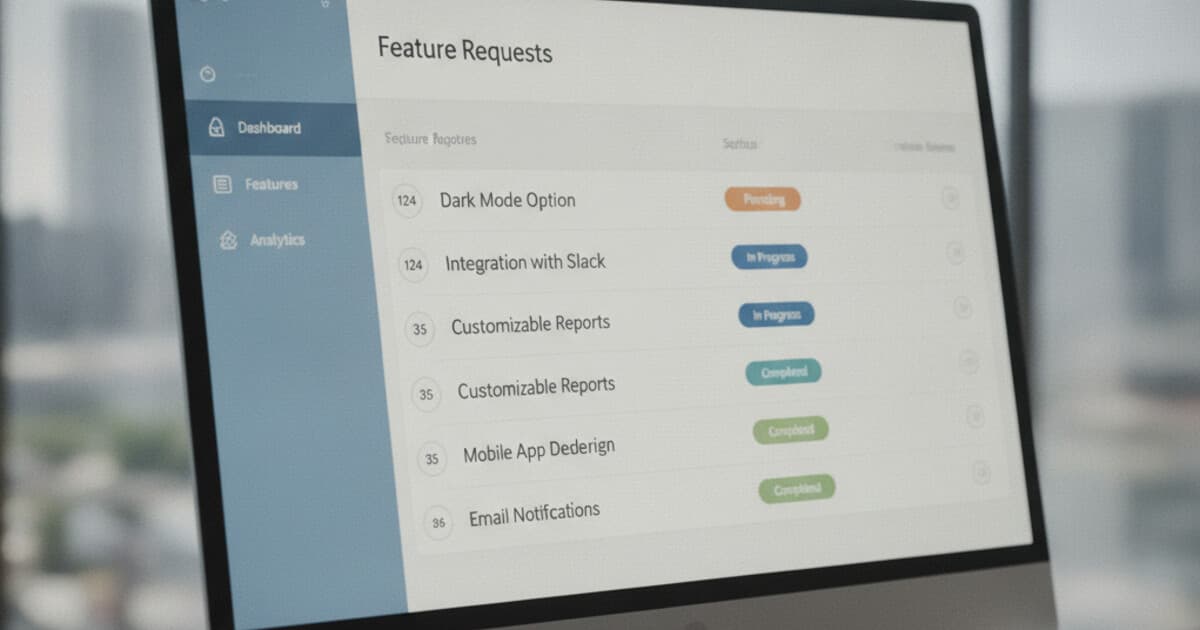
Most indie teams start with a Slack channel or a pinned Google Doc. Feature requests trickle in from App Store reviews, support emails, and late-night DMs. Works fine for the first 10. By request number 50, the informal approach to feature request best practices breaks down, and nobody can answer the basic question: what do our users actually want most?
The chaos creates a real cost. When a team ships features based on gut feel instead of user signal, some land and most don't. The users who took the time to submit something never hear back, so they stop bothering. The product drifts further from what would actually drive retention.
The feature request best practices in this guide are lightweight enough for a solo founder to run alone and structured enough to scale when the team grows.
The core feature request best practices are: centralize all requests in one tool, assign a visible status to every request, let users vote instead of just submit, prioritize by impact over raw volume, and close the loop when a feature ships. These five steps cover the full lifecycle from collection to delivery.
Centralize All Feature Requests in One Place
The simplest feature request best practice is also the hardest to maintain: put every request in one place.
Most teams scatter feedback across App Store reviews, support emails, Slack channels, and an increasingly stale spreadsheet. When it's time to plan the next sprint, someone has to piece together a picture from five different sources. Some requests never get logged at all.
Centralizing doesn't require fancy software. The critical rule: if a request touches your team, it lives in the system. That means the support email from Thursday goes in. The App Store review mentioning "I wish it could export to CSV" goes in. The casual Slack message from a beta user goes in.
Feature request fragmentation is one of the most consistent early-stage product problems. In CB Insights' analysis of 101 startup post-mortems, 42% cited building a product nobody wanted as the primary failure cause. Most of that disconnect happens before development starts: feedback arrives through App Store reviews, support emails, Slack messages, Twitter replies, and one-on-one calls, then scatters without a trace. When teams centralize requests into a single tool, three things happen consistently. First, duplicate requests surface immediately. The same feature might arrive a dozen times through different channels, which is the clearest possible signal that it matters. Second, the team can sort by submission date, catching old requests before they age into complaints. Third, when a user submits through an in-app channel, the system can send them a status update when something changes. Centralization doesn't require expensive tooling. A shared spreadsheet, a dedicated Airtable base, or an in-app SDK all work. The rule: any request that touches your team lives in the system.
For a step-by-step guide on setting up a collection system, see how to collect feature requests.
Assign a Status to Every Request
Collecting requests without updating them is how user trust disappears.
A user takes 3 minutes to write out a detailed feature suggestion. Three months pass. They never hear anything. They assume you ignored them. Next time your review prompt appears, they'll have nothing good to say.
A status workflow fixes this at scale. At minimum, you need 4 states: received, under review, building, shipped. More granular workflows (pending, under review, approved, in progress, planned, completed) give users clearer signals about exactly where their request sits in the queue.
The critical word is "visible." An internal Jira ticket that never updates the original submitter doesn't count. The status has to be somewhere the user can see it, either in a public board or inside the app where they submitted.
Status updates also eliminate a surprisingly common support question: "Did you see my suggestion?" When users can check for themselves, that question stops coming in. You save the support time and rebuild the trust simultaneously.
Let Users Vote, Not Just Submit
Raw submission count is a weak signal. Ten different users each independently requesting the same feature tells you far more than one user requesting it 10 times.
Voting solves this. When users can upvote existing requests instead of submitting duplicates, you get a ranked list that reflects actual demand. The top 5 items by vote count are usually the right starting point for any planning session.
A few practical rules for voting to work well:
- One vote per user per request (obvious, but some systems skip this enforcement)
- Anonymous voting works fine for apps where users don't sign in. Device-based identity (a UUID stored on the device) handles vote deduplication without forcing account creation.
- Show the vote count publicly so users know their upvote is registering
Shared visibility has a second benefit: users who see an existing request that matches their own are more likely to vote than submit a duplicate, which keeps your backlog clean and your signal clearer.
For a detailed breakdown of how voting systems work across different tools, see feature request voting.
Prioritize by Impact, Not Vote Count
The most-voted feature isn't always the right one to build first.
Two hundred votes from free users on your lowest tier might yield less revenue impact than 40 votes from paying users on your top tier. Vote count is one signal. You still need to run it through a prioritization framework before it becomes a build decision.
RICE scoring is the most practical framework for small teams. Reach tells you how many users benefit from the feature. Impact tells you how significantly. Confidence captures how certain you are about those estimates. Effort normalizes for build cost. Divide Reach x Impact x Confidence by Effort to get a comparable score across all candidates.
A few rules that keep RICE from becoming busywork:
- Check the revenue tier of your top voters before finalizing the order. A request from 3 customers on your highest plan often outscores 30 requests from free users.
- Group similar requests before scoring. Three variations of "better export options" are one request, not three separate candidates.
- Re-score quarterly. Priorities shift as the product and user base evolve.
The full breakdown of RICE plus the Kano model is at how to prioritize feature requests. The short version: vote count is an input, not the answer.
Close the Loop When You Ship
This is the practice most teams skip. It's also the one that builds loyal users.
When you ship a requested feature, tell the people who asked for it. A status change from "in progress" to "completed" on the request card is enough if it triggers an email notification to the submitter. If you don't have automated notifications, a manual reply to the original submission works.
The compounding effect is real. Users who see their request ship are far more likely to submit again. They've seen evidence that feedback matters. That loop turns passive users into contributors, and contributors into advocates.
The flip side matters too. When you decide not to build something, say so. "We're keeping scope focused on core capture features for now" closes the loop on a decline without burning the relationship. Silence is the worst outcome: users assume the request was never seen.
How pick a feature Handles These Practices
pick a feature is a Flutter SDK plus cloud dashboard built around this exact workflow.
For centralization: the widget (full screen, dialog, or bottom sheet) captures requests from inside the app, so they don't scatter across email and App Store reviews. For status visibility: requests move through 6 statuses (pending, under review, approved, in progress, planned, completed), with approved and completed requests visible to users inside the widget. For voting: each user or device gets one vote per request, with anonymous device-UUID fallback for users who haven't signed in. For loop-closing: email notifications fire when new requests come in, and the status change is visible in-app.
Setup is one call: PickAFeature.initialize(apiKey: 'your-key'). The three drop-in widgets handle the rest.
Pricing starts at free (1 project, 10 requests, no card required). Starter is $5/month for 3 projects and unlimited requests. Unlimited is $15/month. Canny's entry tier starts at $79/month.
For a broader comparison of how different tools handle the full request workflow, see feature request management.
Frequently Asked Questions
What's the most important feature request best practice?
Closing the loop. Collecting and organizing requests without following up breaks user trust. Users who see their request ship become advocates. Users who submit and never hear back churn quietly and don't bother submitting again.
How many feature requests should I collect before building?
Patterns usually emerge by 15-20 requests. If 4 of the first 20 ask for the same thing, that's a strong signal. For apps with fewer than 100 active users, even 10 requests can point to a clear first priority.
Should users be able to see each other's feature requests?
Yes. Shared visibility lets users upvote existing requests instead of submitting duplicates. It also signals that the product is actively managed. Private request boards lose most of the prioritization benefit.
How do you say no to a feature request?
Update the status and leave a short reason. "We're keeping scope focused on core capture features for now" is enough. A clear decline is better than silence, which makes users assume the request was never seen.
What's the difference between a feature request and a bug report?
Feature requests are suggestions for new functionality. Bug reports are problems with existing functionality. Mixing them into one system muddies prioritization. Keep them in separate boards or tools.
If you're building a Flutter app and want all five of these practices working from day one, pick a feature sets up in a single line of code. The free tier covers most indie apps through early traction. Get started at pickafeature.com.