 pick a feature
Feature Request Voting: How It Works and Which Tools Do It Best
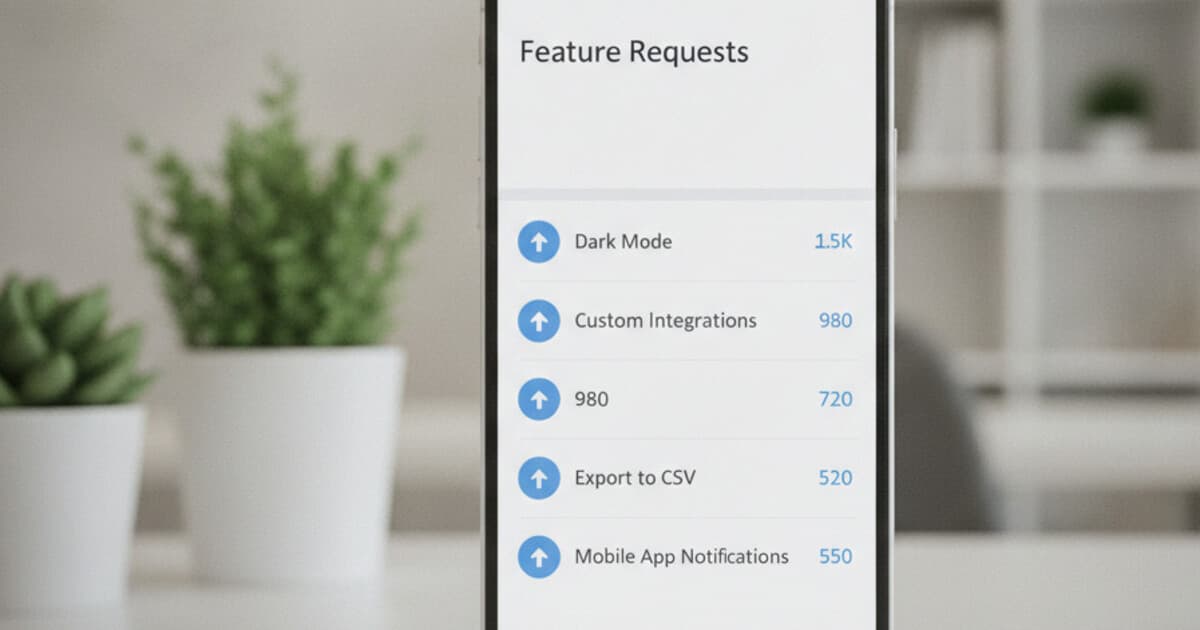
Most founders spend months building features nobody asked for. Not because they ignored users, but because they relied on whoever sent the angriest email. That's not product management. It's attention arbitrage for the most persistent complainers.
Feature request voting changes the math. When users vote on ideas, you get ranked demand data from your whole user base, not a sample of the most vocal 3%.
Feature request voting is a system where users submit and upvote feature ideas from inside your app or a shared portal. Votes are counted and ranked, giving founders a demand-sorted list. The most-wanted features rise to the top; the nice-to-haves sink below them.
What Is Feature Request Voting?
Feature request voting is a structured way to collect and prioritize user feedback. Instead of gathering feature ideas across support tickets, email threads, and one-off conversations, you centralize requests in one place and let users vote on the ones that matter most to them. The system works by surfacing existing requests to each new user, so votes accumulate over time rather than being scattered. Founders end up with a ranked list: the 40-vote request at the top, the 2-vote idea at the bottom. When it's time to decide what to build, that list does most of the work. Teams that switch from ad-hoc feedback collection to a voting system typically report two benefits: they stop building features only the loudest users asked for, and they can explain prioritization decisions in terms users accept. "This feature has 8 votes, that one has 87" is a clearer answer than "we haven't gotten to it yet."
The basic workflow has four steps: users submit requests, other users browse and upvote what they want, you review the ranked list and move items through a status workflow (pending, under review, in progress, planned, completed), and users can see which of their requests got picked up.
The best feature voting happens at the moment of frustration, when a user is trying to do something your app doesn't yet support. A link in a monthly email newsletter reaches maybe 2% of your users. A voting panel inside the app reaches 15 to 30%.
Why Feature Request Voting Outperforms Email and Support Tickets
Support tickets are reactive. A user files one because something broke or confused them. That's valuable, but it doesn't tell you what they want built next. Email threads are worse: the feedback you get skews toward users who like talking to founders, not toward your median user who just wants the thing to work.
The bias baked into email feedback is the real problem. Imagine you have 500 users and 12 of them are highly engaged early adopters who email you regularly. You'll hear from those 12 constantly. The other 488 are largely invisible. Feature request voting surfaces the 488.
Votes don't require users to craft a message or wait for a reply. Tapping an upvote button is a 2-second action. That low friction means more of your quiet users participate. When a single feature request racks up 74 votes, you know something real is there.
There's a useful distinction from product management: support tickets tell you where your product is broken; feature votes tell you where it needs to grow. You need both signals, but they answer different questions. Running them through the same inbox mixes up the picture.
For an honest breakdown of when to build your own feedback system vs. buying one, see Build vs Buy a Feature Request Tool.
How to Run Feature Request Voting Without Overcomplicating It
The failure mode for most founders is collecting votes and then going quiet. Users submit 30 ideas, vote on them, and then hear nothing for six months. That kills trust faster than not having a system at all.
A working feature voting setup has three parts.
Capture. Put the voting widget somewhere visible inside your app. Don't bury it in a settings menu. A button in the main navigation or a prompt after a user completes a workflow both work well. The goal is capturing feedback at the moment of relevance.
Triage. Check the dashboard weekly. Move requests from "pending" to "under review" or "rejected" within a few days of submission. Users who don't see their request acknowledged assume you're not reading it.
Close the loop. When you ship a feature that came from a request, mark it as "completed" in your voting tool. If the tool shows status inside the app widget, users see it automatically. This is what turns one-time voters into recurring contributors. "They actually built what I asked for" is the thing that gets a user to tell their whole team.
The biggest mistake is separating the voting system from your actual development workflow. If your team plans sprints in Notion and votes live in a separate tool you check monthly, the votes won't influence what gets built. Keep the habit tight: every planning session starts with a look at the top 10 voted requests.
Best Feature Request Voting Tools in 2026
Several tools handle feature request voting, and they split into two categories: web portals your users visit separately, and SDKs that drop into your existing app.
Canny is the most established web portal. It has a clean UI, a solid status workflow, and integrations with Linear and Jira. The starting price is $79/month. For a solo founder paying out of pocket, that's a real number.
Featurebase runs at $29/seat/month on its Growth plan. It positions as a Canny alternative with AI-powered duplicate detection and a changelog feature. Per-seat pricing adds up fast for small teams.
Frill costs $25/month on its Startup plan but caps you at 50 idea submissions. You'll hit that ceiling inside your first year with any active user base.
Fider is open-source and free to self-host. If you have the ops appetite for running your own server, it's solid. If you'd rather not, it's not for you.
pick a feature is the Flutter-native option. It's an SDK you drop into your Flutter app rather than a web portal users visit separately. Pricing starts at $5/month, with a genuine free tier (1 project, 10 feature requests, no card required).
For a broader comparison across all these tools, see Best Feature Request Tools in 2026.
How pick a feature Handles Feature Request Voting for Flutter Apps
pick a feature's voting system is different from web portals because it lives inside your Flutter app. Users browse requests, vote, and submit ideas without opening a browser or creating an account on a third-party site.
Setup takes about 10 minutes. You call PickAFeature.initialize(apiKey: 'your-key') once when your app starts, then show the voting UI with PickAFeature.showBottomSheet(context), PickAFeature.showDialog(context), or by navigating to PickAFeatureScreen. The widget shows approved feature requests, lets users upvote with one tap (one vote per device), add comments, and submit new requests.
Voting is one-vote-per-device. The SDK stores a device UUID in shared_preferences so anonymous users can vote without creating an account. If your app has auth, you can identify users with PickAFeature.updateUser(id: userId, email: userEmail) so votes tie to a real user record.
On the dashboard side, you see each request with its vote count and can move it through the status workflow: pending, under review, approved, in progress, planned, completed. The widget shows approved and completed requests, so users can see which ideas made the cut.
Pricing: Free covers 1 project and 10 feature requests, no card needed. Starter is $5/month for 3 projects and unlimited requests. Unlimited is $15/month for unlimited everything. Compare that to Canny at $79/month for roughly the same core voting functionality.
For Flutter developers who want to collect feature requests without asking users to leave the app, pick a feature is built for exactly that use case. See how it stacks up against web-only tools in Best Free Feature Request Tools in 2026.
Frequently Asked Questions
What's the difference between a feature request and a bug report?
A bug report means something is broken. A feature request means something doesn't exist yet. Feature request voting is specifically for the latter: users ranking ideas for new functionality, not flagging errors. Bug tracking tools like Sentry handle the broken-things side of feedback; they're a different category entirely.
How many votes does a feature need before you build it?
There's no fixed threshold. The right question is relative: which feature has the most votes relative to your development cost for it? A 60-vote feature that takes 2 weeks beats a 100-vote feature that takes 6 months. Votes give you demand signal; you still have to weigh effort and impact.
Should I let users submit anonymous feature requests?
Yes, with moderation turned on. Authenticated submissions give you better signal (you can see if a request comes from paying users vs. free users). But requiring signup before submitting adds friction that cuts participation. pick a feature handles anonymous users with a device UUID and lets you approve requests before they go public.
Can I use feature request voting without a dedicated tool?
You can use a Notion page or a public Google Form. The problem: there's no deduplication, no vote count, and no status tracking. Users submit the same idea 15 times with no way to consolidate them. A dedicated tool handles all of that automatically, and the paid options start at $5/month.
What if users vote for mutually exclusive features?
Pick the one with more votes and explain why the other isn't happening. Clear rejection beats silence. "We went with X (74 votes) over Y (12 votes)" is an honest answer. Users accept it. Ghosting them doesn't build trust, and it discourages future voting too.
If you're building a Flutter app and want a feature voting system that lives inside the product rather than at a separate URL, pick a feature is built for that. The free tier handles up to 10 feature requests with no card required. Try pick a feature to see how it fits your workflow.