 pick a feature
How to Merge Duplicate Feature Requests
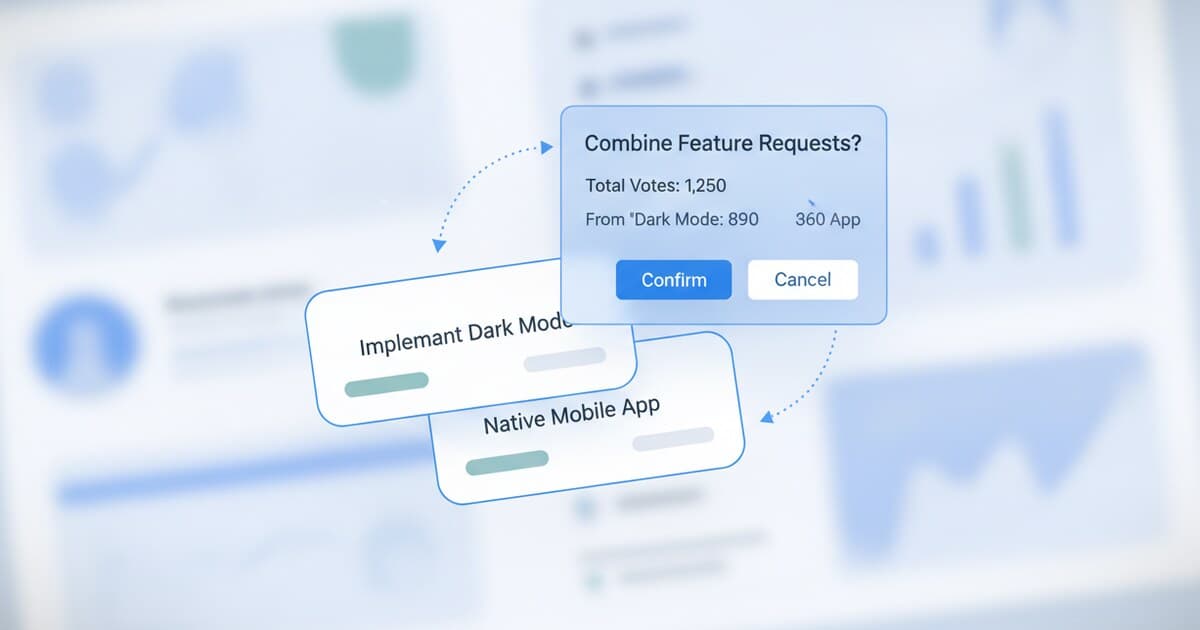
Two users describe the same feature in different words. A third submits a variant three weeks later. By the time you notice, there are 5 near-identical cards scattered across your board, each collecting votes separately.
Every product team running an active feedback board hits this. The instinct is to delete the duplicates and clean up the board, but that destroys useful data. Every independent submission is a separate user telling you they want the same thing, without knowing anyone else already asked. That's genuine demand signal, and deleting it is the same as deleting customer research.
To merge duplicate feature requests, open your dashboard and drag one card onto another (or use the Merge button from the card menu). A preview shows both titles and the combined vote count. Pick the final title and description, optionally carry over votes and comments, and confirm. The merged item won't double-count voters who submitted both.
Why Duplicate Feature Requests Pile Up
Your feedback board doesn't show users a "did you mean this?" prompt when they start typing. Someone opens the widget, types what they want, and submits. Three weeks later, another user independently hits the same friction point and submits their own version with different vocabulary. A third frames it as a complaint rather than a request. All three cards now sit on your board as apparent strangers, each with scattered votes.
Feature request boards handling more than 50 active requests typically see 15-25% of new submissions overlap with existing ones within the first 90 days. The overlap rate climbs with user count rather than feature count: more users means more people independently encountering the same friction points. Products with 1,000+ active users often find that 30-40% of new submissions are duplicates of existing requests, and the highest-demand features accumulate 3-6 independent duplicate submissions every month. When those duplicates sit unmerged, your vote counts look artificially thin. A feature that 18 users genuinely want might appear as three 6-vote requests buried on page 2 of your board, rather than a single 18-vote item sitting near the top. Merging consolidates that signal while preserving every requester's identity, so when you ship the feature you can notify everyone who asked, not just those who found the original post.
The volume of independent duplicates also tells you something a raw upvote count can't. Users who upvote a visible top post are partly responding to social proof. Users who submitted independently, without knowing others already asked, wanted this badly enough to type it themselves. That's a stronger demand signal than a vote.
When to Merge (and When Not To)
Not every similar-looking request is a true duplicate. Merging the wrong cards creates a worse problem than leaving them separate.
Merge when the core ask is identical even if the wording differs ("dark mode" and "night theme" are the same request), when both requests describe the same underlying pain point with different proposed solutions, or when a single changelog entry would satisfy users who submitted either request.
Keep them separate when the requests share a category but differ meaningfully in scope ("add CSV export" and "add full data export to S3 with scheduling" are different features), when implementation effort differs enough that you'd ship them on separate timelines, or when users who submitted one would not consider themselves heard if you shipped only the other.
A working rule: if you'd write one changelog entry to cover both, merge. If you'd need two separate entries, keep them separate. When genuinely unsure, leave them separate and add a note on each card pointing to the related item. You can always merge later once the requests converge.
How to Merge Duplicate Feature Requests in pick a feature
Merging in pick a feature runs on the Kanban board as a drag-and-drop operation. Follow these steps:
1. Open your project board. Switch to Kanban view and scan the columns. Most duplicates cluster in Pending and Under Review, since that's where new submissions land before triage.
2. Find the pair. Scan titles for overlap, or sort by keyword if you're looking for something specific. A "dark mode" and a "night theme" card sitting three rows apart are your candidates.
3. Decide which is canonical. The canonical item should have the clearer title, or the one with more existing votes and comments. Either works.
4. Drag the duplicate onto the canonical item. A merge preview opens. You'll see both titles, both descriptions, and the combined counts for votes and comments.
5. Pick the final title and description. Use one as-is, combine language from both, or rewrite to something cleaner. The preview shows the original user-submitted text so you can preserve the clearest phrasing.
6. Carry over votes and comments. Check both options. Votes add without double-counting: if the same user voted on both cards, they count once in the merged total. Comments thread together in chronological order.
7. Confirm. The duplicate card disappears from the board. The canonical item's vote count and comment list now reflect the full combined demand.
Alternatively, open the three-dot menu on any request card and choose Merge to run the same flow without dragging.
What Happens to Votes and Comments After a Merge
Votes combine without double-counting. If a user voted on both the duplicate and the canonical item, they count once in the merged total. So if the canonical had 8 votes and the duplicate had 5 votes, the merged result might be 11, not 13, if 2 users voted on both. You get the union of unique voters, not a raw sum.
Comments thread together chronologically. A detailed comment on the duplicate card stays attached to the canonical item after the merge. You don't lose any of the context users wrote, and the conversation reads in order regardless of which card it was originally submitted on.
The merged request keeps the canonical item's status. If "dark mode" was already Under Review before the merge, it stays Under Review after. Users browsing the board see the updated vote count on the same card they knew.
One thing worth knowing: pick a feature's merge is manual. There's no automated duplicate detection in the dashboard. You identify the candidates yourself. That's fine at under 200 active requests, but worth building a triage habit once your volume grows.
Running a Triage Cadence to Stay on Top of Duplicates
The merge tool handles one pair at a time. A regular cadence is what keeps them from piling up for weeks.
For most indie projects and small SaaS products, a weekly 15-minute triage session covers it. Sort pending requests by submission date, scan titles for overlap, and merge anything obvious. This session isn't for prioritizing: it's cleaning. Move through it fast.
Products with 50+ new submissions per week benefit from twice-weekly triage. At that volume, a full week of inbound requests creates enough clutter that the next triage grows to 45 minutes instead of 15.
A triage session covers 4 things in order: merge duplicates, close spam, ask clarifying questions on vague submissions, and push approved items into the correct status column. Merging first means the remaining items are real, distinct requests, which makes the rest of the session faster.
A clean board has a secondary benefit: users browsing before they submit will find existing requests and upvote them instead of creating new ones. The pick a feature SDK surfaces approved and completed requests inside your app, so users see what's already been asked before they type. That organic de-duplication at the submission point reduces the volume you'd otherwise catch during triage.
How Merging Fits Your Broader Feature Request Workflow
Merging is the cleaning step in a larger process. The upstream step is collecting requests through a consistent channel. The downstream step is deciding what to build next.
Fragmented duplicates corrupt the prioritization step. A feature with 3 separate requests, each carrying 6 votes, looks like three middling items. After merging, it surfaces as a single 16-18 vote request that might jump into your top 3. The merge step is what makes your vote counts trustworthy enough to base build decisions on.
Once your board is cleaned up, frameworks like RICE scoring become more reliable because the vote counts reflect actual demand rather than visibility bias. Pairing a consistent merge habit with a feature request management process is how solo founders make defensible roadmap decisions without a full product team. For a deeper look at the prioritization side, how to manage feature requests without drowning covers the full triage-to-decision system.
Frequently Asked Questions
Can I undo a merge after confirming?
There's no one-click undo after confirming a merge in pick a feature. To reverse it, you'd need to re-create the duplicate request manually and redistribute the votes. Review the merge preview carefully before confirming, especially the combined vote count, to make sure the cards are genuine duplicates and not just similar-sounding requests.
What happens to users who submitted the duplicate after it's merged?
The duplicate card disappears from the board after merging. Users who bookmarked or were watching the duplicate can no longer find it by its original entry. pick a feature doesn't currently send an automatic notification to duplicate submitters on merge. When you ship the feature and mark the canonical item as completed, use the notify-requesters flow. Votes that carried over from the duplicate count toward that notification list.
Should I merge requests that are similar but not identical?
Only if you're confident that users who submitted either would consider themselves heard by one shipped feature. When in doubt, keep them separate and leave a note on each card pointing to the related item. That preserves the distinction without losing the connection, and you can merge later if the requests converge.
How many duplicates should I expect on an active board?
Boards with 50-200 active requests typically see 10-20% overlap within the first 90 days. Higher-volume boards with 1,000+ monthly submissions see 30-40% overlap. The overlap rate correlates with total user count more than feature count: larger user bases produce more independent requests covering the same friction points.
Does merging change a request's position in the vote ranking?
Yes, usually for the better. A fragmented request with 3 duplicates each carrying 6 votes appears as three 6-vote items mid-page. After merging, it might surface as a single 16-18 vote request near the top of your board. Merging is one of the most reliable ways to surface high-demand features that got split across multiple independent submissions.
Keeping a clean board without losing the demand signal behind every submission is one of the trickier parts of running feature requests at scale. pick a feature's merge workflow lets you consolidate duplicates in under a minute per pair, carry over every vote and comment, and keep an accurate record of what your users actually asked for. Sign up free at pickafeature.com to run your first triage on the dashboard, no credit card needed.