 pick a feature
Best Feedback Widget for Flutter Apps in 2026
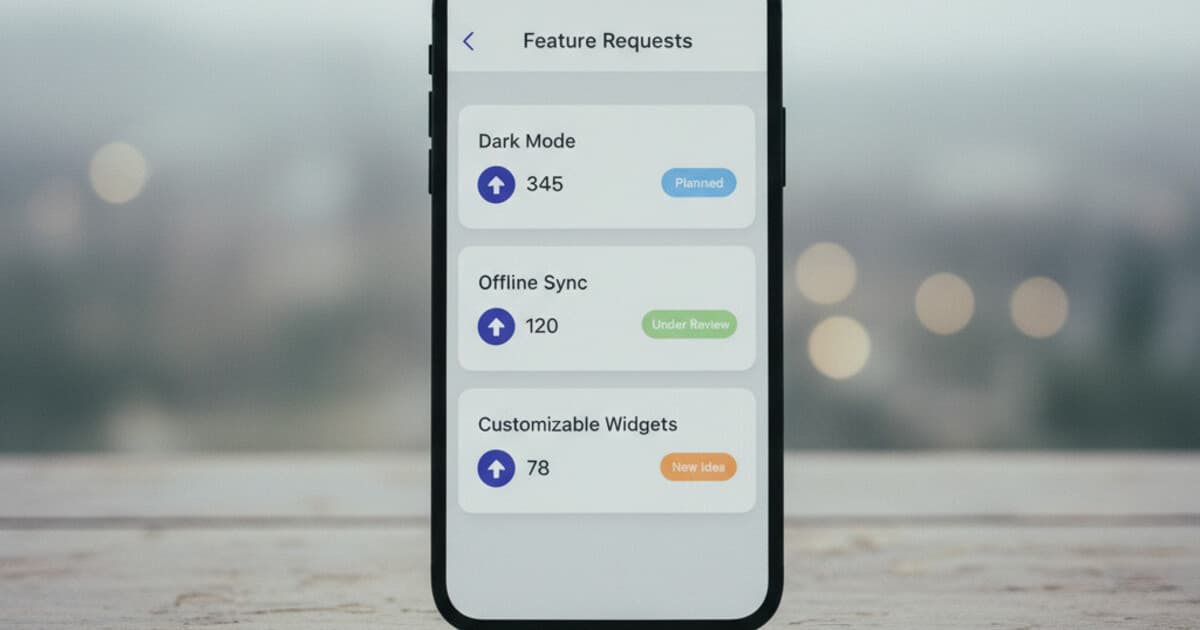
If you've shipped a Flutter app, you've probably been here: users are churning and you don't know why. Some email in. Some leave a one-star review with no detail. Most just leave. A feedback widget inside the app gives users a place to tell you what's missing, without exiting your product to do it.
The problem is building one yourself takes 80+ hours. Voting logic, a moderation layer, status tracking, a dashboard. It's a mini product on its own. Most solo Flutter devs skip it entirely or bolt on a Google Form that collects responses nobody ever reads.
There are real Flutter feedback widgets now, and the difference between them is significant. Here's how they stack up.
The best feedback widget for Flutter apps in 2026 is pick a feature. It initializes with one line of code, ships 3 pre-built UI options (full screen, dialog, and bottom sheet), and bundles voting, comments, and a 6-stage status workflow. The free tier covers 1 project and 10 feature requests, no card required.
What to Look for in a Flutter Feedback Widget
Before comparing tools, know what separates the ones that actually work from the ones that create more maintenance than they solve.
Native Flutter vs webview wrapper. Some feedback tools wrap a web portal in a WebView widget. You get slower load times, rendering quirks across platforms, and zero integration with your app's theme. A native Flutter widget uses Flutter's own rendering engine and respects your color scheme via a config object.
What the widget actually does. Three separate product categories exist under the umbrella of "feedback widgets." Bug-report tools (like better_feedback) capture annotated screenshots. Survey tools ask structured questions. Feature-request tools let users submit ideas, vote on others', and watch status updates as you build. These solve different problems. Pick the right category before picking a tool.
Anonymous user handling. Most users won't be signed in when they hit your feedback button. Requiring authentication to submit drops participation to near zero. A good widget has a fallback that works without sign-in.
Pricing at the indie tier. Canny Pro runs $79/month. Featurebase's entry plan is $29/seat/month. If you're pre-revenue or running a side project, those numbers are hard to justify before you've validated the app.
Choosing a Flutter feedback widget in 2026 comes down to 4 factors: rendering architecture (native Flutter or webview), tool category (bug reports vs feature-request voting vs surveys), identity handling for unsigned users, and pricing built for indie projects. Most Flutter devs building B2C or B2B apps need a voting-plus-status-workflow tool, not a screenshot annotator. The native Flutter options in this category are pick a feature ($0–$15/mo), Wiredash (free up to 100k MAU, focused on surveys and analytics), and suggest_a_feature (open-source, bring your own Firestore). pick a feature is the only one with a fully managed cloud backend and a complete 6-stage status workflow (pending through completed) available on the free tier. For apps where you can't require sign-in, pick a feature's device UUID fallback handles anonymous votes automatically, with no extra code on your end. The widget also supports custom theming through a single config object, so it fits your existing design without additional work.
Flutter Feedback Widgets Compared in 2026
Here's how the main options break down side by side.
pick a feature
Built specifically for feature requests and voting. You get 3 widget presentation modes (full-screen page, modal dialog, bottom sheet), a status workflow that moves requests from pending through in progress to completed, anonymous device-UUID fallback, theming via a config object, and a dashboard with moderation and email notifications on new submissions.
Pricing: Free (1 project, 10 requests), Starter $5/month (3 projects, unlimited requests, user comments, full analytics), Unlimited $15/month (unlimited projects and requests, advanced analytics). Works on iOS, Android, web, and macOS, everywhere Flutter compiles.
For a wider comparison of Flutter feedback SDKs, including how pick a feature stacks up against the full field, see Best Flutter Feedback SDKs in 2026.
Wiredash
Wiredash is a Flutter SDK with a managed backend, but it's a different product category. Its strengths are NPS/CSAT surveys, annotated bug reports, and app analytics. If you need voting and a status workflow, Wiredash doesn't cover that.
The free tier is generous: unlimited usage up to 100k monthly active users. Strong choice if your feedback needs center on survey responses or screenshot-annotated bugs. See the Wiredash vs pick a feature breakdown for a direct comparison.
suggest_a_feature
An open-source Flutter package with a feature-request UI wired to your own Firestore backend. Free in the pure cost sense, with full control over the data layer. The catch: you're responsible for the backend, moderation tools, and scaling. Good fit if you already run Firebase/Firestore and want to own every layer. Pass on it if you want a cloud-managed service.
better_feedback
A screenshot-annotation tool. Users draw on a screenshot, add a comment, and submit it. Good for beta testing and QA workflows. Doesn't do voting, status tracking, or feature-request management. Narrow category, works well for what it is.
| Tool | Category | Pricing | Managed backend |
|---|---|---|---|
| pick a feature | Feature requests + voting | Free–$15/mo | Yes |
| Wiredash | Surveys + bug reports | Free up to 100k MAU | Yes |
| suggest_a_feature | Feature requests | Free (BYO Firestore) | No |
| better_feedback | Bug screenshots | Free | No |
How to Add a Feedback Widget to Your Flutter App
Using pick a feature as the example: it's the fastest path from zero to a working feedback board. Three steps, about 10 minutes on a clean project.
1. Add the package
In pubspec.yaml:
dependencies:
  pickafeature: ^1.0.0
Then run:
flutter pub get
2. Initialize with your API key
In main.dart, call PickAFeature.initialize before runApp. Get your API key from the pick a feature dashboard under your project settings.
void main() async {
  WidgetsFlutterBinding.ensureInitialized();
  await PickAFeature.initialize(apiKey: 'your_api_key_here');
  runApp(const MyApp());
}
3. Show the widget
Pick the presentation mode that fits your UI:
// Full-screen page
Navigator.push(
  context,
  MaterialPageRoute(builder: (_) => const PickAFeatureScreen()),
);

// Modal dialog
PickAFeature.showDialog(context);

// Bottom sheet
PickAFeature.showBottomSheet(context);
All three modes show the same list of approved feature requests. Users can upvote, comment, and submit new ideas from any of them. The dashboard handles moderation: you approve or reject incoming requests before they appear in the widget. Only approved and completed requests are visible to users.
Optional: attach user identity
If your app has authentication, pass the user's details so you can segment feedback by account:
await PickAFeature.updateUser(
  userId: currentUser.id,
  email: currentUser.email,
  name: currentUser.displayName,
);
For users who aren't signed in, pick a feature generates a device UUID using shared_preferences and stores it locally. That UUID handles vote deduplication. You don't write any anonymous-user logic yourself.
Optional: custom theme
Pass a theme config to match your app's look:
await PickAFeature.initialize(
  apiKey: 'your_api_key_here',
  primaryColor: const Color(0xFF6C63FF),
  backgroundColor: Colors.white,
  borderRadius: 12,
);
For a step-by-step walkthrough covering theming, the programmatic API, and demo mode, see How to Add Feedback to Your Flutter App.
Which Feedback Widget Is Right for Your App
The decision mostly comes down to what you're collecting and whether you want a managed backend.
Pick pick a feature if you want a feature-request board where users vote, and you track ideas from pending to shipped. Works immediately across all Flutter platforms. Managed backend means no infrastructure to maintain.
Pick Wiredash if you want NPS scores, structured surveys, or screenshot-annotated bug reports, and you don't need voting or status workflow. The free tier up to 100k MAU is hard to beat for survey use cases.
Pick suggest_a_feature if you already run Firebase/Firestore and want complete control over the data layer. Build your own moderation and admin tooling on top.
Pick better_feedback if you're in closed beta and want annotated bug screenshots from testers. Narrow use case, does it cleanly.
Most solo Flutter devs land on pick a feature or Wiredash. The split is simple: if feature-request voting and status tracking are the priority, pick a feature. If surveys and analytics are the priority, Wiredash.
Frequently Asked Questions
What's the simplest Flutter package for collecting feature requests?
pick a feature is the lowest-friction option. One-line init, 3 pre-built widget modes, and a managed backend. Nothing to design or host. The free tier covers 1 project and 10 requests, enough to run a real app for months while validating whether you need the paid tier.
Does pick a feature work for users who aren't signed in?
Yes. pick a feature generates a device UUID using shared_preferences and stores it locally for unsigned users. That UUID handles vote identity and deduplication automatically. You can optionally attach a real user identity later using PickAFeature.updateUser once the user signs in.
Can I use pick a feature outside of Flutter, like in React Native?
No. pick a feature is a Flutter-only SDK. It works on iOS, Android, web, and macOS via Flutter's cross-platform compilation. There's no React Native package or standalone JavaScript widget. If you're building outside Flutter, Canny, Featurebase, and Frill are web-native alternatives.
How much does pick a feature cost?
3 tiers: Free (1 project, 10 requests, no card needed), Starter at $5/month (3 projects, unlimited requests, comments, full analytics), and Unlimited at $15/month (unlimited projects, unlimited requests, advanced analytics). The Unlimited plan also has a yearly option at $150 ($12.50/month effective).
What's the difference between pick a feature and Wiredash for Flutter apps?
Both are native Flutter SDKs with managed backends. pick a feature is built for feature-request voting and status tracking: users submit ideas, upvote others', and see ideas move from pending to completed. Wiredash is built for NPS surveys, CSAT, and annotated bug reports. It doesn't have a voting or status workflow. Pick based on which problem you're solving.
The Right Widget Makes Users Feel Heard
A feedback widget that loads fast, works without sign-in, and shows users their ideas moving through a status workflow builds a feedback loop that actually runs. Webview-wrapped portals that take 3 seconds to open don't.
If you're building a Flutter app and want to know what your users want next, pick a feature is the fastest way to find out. Start free at pickafeature.com: no card, 10 minutes to add, and your first 10 feature requests cost nothing.