 pick a feature
How to Add Feedback to Your Flutter App
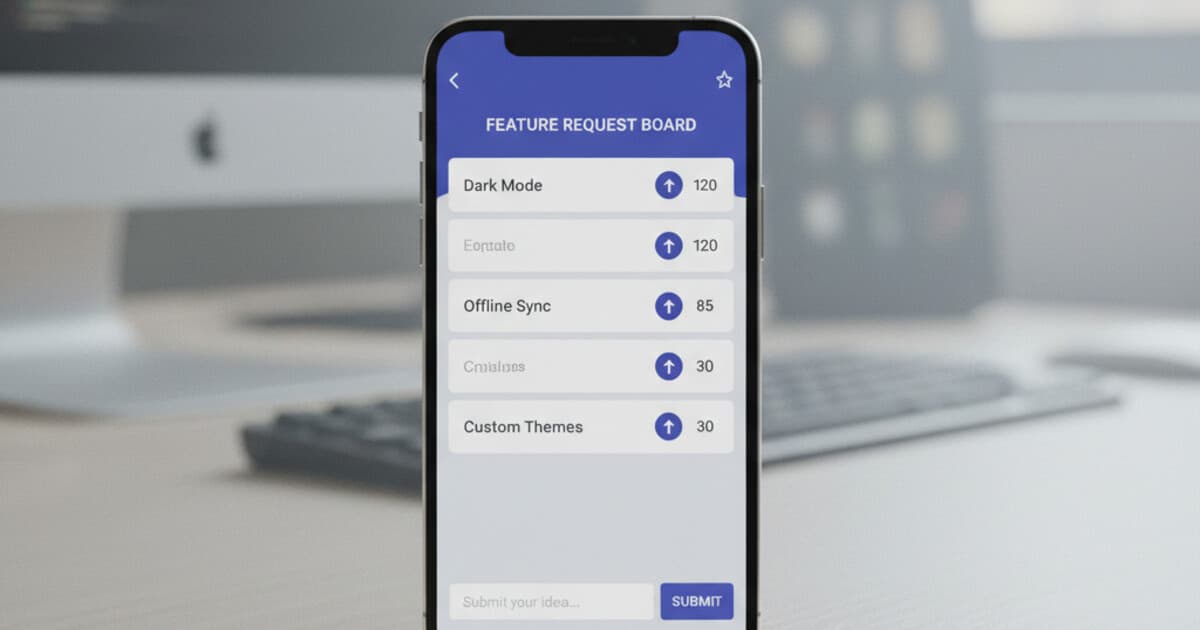
Building a feature request system inside a Flutter app from scratch is a surprisingly big job. You need a backend for storing requests, a voting table, moderation logic, and a Flutter UI that ties it all together. Most teams estimate 80-120 hours just to reach parity with what standalone tools offer on day one.
This guide covers how to add feedback to your Flutter app: your real options, a step-by-step setup using pick a feature, and the common mistakes that kill useful feedback before it starts.
To add feedback to a Flutter app, install the pickafeature package from pub.dev, call PickAFeature.initialize('YOUR_API_KEY') in main.dart, then trigger PickAFeature.showBottomSheet(context) from any button. Users can submit requests and upvote existing ones with no backend code required. pick a feature handles storage, moderation, and the dashboard for you.
Why In-App Feedback Beats Every Other Channel
Email forms get ignored. Feature request spreadsheets go stale within a week. Discord threads get buried.
Feedback collected inside the app, from users who are already looking at the problem they want solved, is the only kind that consistently drives product decisions. The activation energy is zero. They see something missing, they tap once, they submit.
Teams that ship in-app feedback widgets typically see 3-5x more submissions than external forms, because the context is right and the friction is gone. A user who'd have to open a separate browser tab to leave feedback almost never does.
In-app feedback collection solves a problem that email forms and external portals never could: context. When a user submits a feature request from inside the app, they're describing a problem they're experiencing at that exact moment, on the exact screen where they hit it. This specificity produces better product decisions. A Flutter team shipping bi-weekly releases typically sees 3-5x more actionable feedback through in-app channels than through email or Discord, because the submission friction is zero and the context is baked into every request. Before SDKs like pick a feature existed, the technical setup required custom backend work: a database for storing requests, a voting table, moderation tooling, and a Flutter UI to surface it all. Conservative estimates put the first build at 80-120 dev-hours, plus ongoing maintenance whenever Flutter ships a breaking change. Modern drop-in SDKs cut that to under an hour: initialize with an API key, call one method, and you've got a full-featured widget with voting, comments, and status tracking.
For Flutter apps in particular, in-app feedback matters more than average. Flutter apps target mobile-first users who won't open a browser to leave feedback. If the feedback UI isn't inside the app, most feedback never happens at all.
Your Options for Adding Feedback to a Flutter App
You've got three paths.
Build it yourself. Create the Flutter UI, wire up a backend (Firebase or Supabase are the common choices), build a voting table, add moderation logic, and stand up a dashboard. Expect 80-120 dev-hours the first time. You get full control, but ongoing maintenance is yours. Every major Flutter release brings the chance that something breaks.
Firebase plus a custom UI. A popular approach for teams already running Firebase. The database runs free under Firebase's Spark plan, but you still build the entire widget layer. The suggest_a_feature pub.dev package takes this approach: bring your own Firestore, get the widgets. Works fine if you're comfortable with Firebase's data modeling and happy to own the schema.
A managed SDK. Install a package, get widgets plus a cloud backend plus a dashboard. pick a feature is built for this use case: one init call, three widget styles, and a hosted dashboard where you triage and respond to every request. The free tier covers 1 project and 10 feature requests with no card required. Paid tiers start at $5/month.
For most indie founders and small Flutter teams, the math is clear. Eighty hours of build time costs far more than two years of the Starter plan.
For a broader comparison of Flutter feedback SDKs, see Best Flutter Feedback SDKs in 2026.
How to Add Feedback to Your Flutter App with pick a feature
Here's the actual setup. Budget 15-30 minutes from zero to live widget.
Step 1: Install the package.
Add to pubspec.yaml:
dependencies:
  pickafeature: ^1.0.0
Then run:
flutter pub get
Step 2: Initialize in main.dart.
Call PickAFeature.initialize before runApp:
void main() async {
  WidgetsFlutterBinding.ensureInitialized();
  await PickAFeature.initialize('YOUR_API_KEY');
  runApp(const MyApp());
}
Grab your API key from the pick a feature dashboard. Creating an account and generating a key takes about 2 minutes.
Step 3: Add a trigger in your UI.
Three widget styles are available. The bottom sheet is the most common for mobile:
ElevatedButton(
  onPressed: () => PickAFeature.showBottomSheet(context),
  child: const Text('Request a Feature'),
),
Or push a full-screen widget:
Navigator.push(
  context,
  MaterialPageRoute(builder: (_) => const PickAFeatureScreen()),
);
For a lighter touch, use the dialog version: PickAFeature.showDialog(context).
Step 4: Identify your users (optional, but worth doing).
Anonymous users work by default. The SDK generates a device UUID stored in shared_preferences, so votes persist across sessions without any sign-in required. If your users are logged in, pass their identity:
await PickAFeature.updateUser(
  email: '[email protected]',
  name: 'Jane Smith',
  customId: 'user-123',
);
Knowing which users made which requests changes prioritization fast. When your three biggest customers all want the same thing, that goes to the top.
That's the full setup. Your app is now collecting feature requests.
Customizing the Feedback Widget
The default widget ships ready to use, but you'll want it to match your app's colors. Theming is one config object passed into initialize:
await PickAFeature.initialize(
  'YOUR_API_KEY',
  config: PickAFeatureConfig(
    primaryColor: Colors.indigo,
    backgroundColor: Colors.grey.shade50,
    borderRadius: 12.0,
    title: 'Request a Feature',
    subtitle: 'Tell us what would make this app better',
    submitButtonText: 'Submit',
    showEmailField: true,
  ),
);
Toggle the email field based on your user model. Off is cleaner for apps where users aren't signed in. On gives you a contact address for follow-up, which matters when you're moving fast and want to close the loop with early users.
For offline development, screenshots, and UI testing, flip on demo mode:
await PickAFeature.initialize('YOUR_API_KEY', demoMode: true);
Canned requests show up in the widget and nothing hits the network. Your CI pipeline can run without a live API key.
Managing Requests in the Dashboard
Once users start submitting, the pick a feature dashboard is where you triage. Each request runs through a six-stage workflow: pending, under review, approved, in progress, planned, completed.
Only approved and completed requests appear in the SDK widget. Pending requests sit in your moderation queue until you approve or reject them. This keeps the user-facing board clean.
Email notifications fire on every new incoming request. The dashboard shows basic analytics on the free tier, full analytics on Starter, and advanced analytics on Unlimited. Multi-project support comes with Starter ($5/mo) and covers up to 3 projects. The Unlimited plan ($15/mo) has no project cap.
Common Mistakes When Collecting Flutter Feedback
Skipping user identity. Anonymous device UUIDs are fine, but pass an email or custom ID when you can. One power user requesting the same feature as four others carries different weight than five strangers.
Using this for bug reports. pick a feature handles feature requests and voting, not crash reports or session replay. If you need bug tracking, pair it with Sentry or Firebase Crashlytics. They solve a different problem.
Burying the feedback button. Put it somewhere visible: a settings screen, a persistent floating button, or a drawer item. A feature request widget that takes 4 taps to reach collects zero submissions.
Skipping demo mode during development. Run demo mode for your first build to check that the widget looks right in your app's color scheme before going live. It saves a deploy cycle.
Frequently Asked Questions
Does pick a feature work on iOS, Android, and web? Yes. It's a Flutter SDK, so it runs on every platform Flutter supports: iOS, Android, web, and macOS. No platform-specific configuration is needed beyond your standard Flutter build for each target.
What happens to feedback from users who aren't signed in?
The SDK generates a device UUID stored in shared_preferences. Votes from that device tie to that UUID, so the same user can't vote twice even without a sign-in. The UUID persists across app sessions on the same device.
Is the free tier a trial or permanent? Permanent: 1 project, 10 feature requests, email notifications, and moderation tools with no credit card required. Many indie apps stay on free for the first few months while validating whether users engage with the feature request board at all.
Can I self-host the backend?
The SDK supports an apiBaseUrl override, so you can point it at your own server instead of the pick a feature cloud. You'd need to run a compatible backend, which most teams skip. The option is there if data residency is a requirement.
How do I support dark mode in the widget?
The config object accepts explicit color values: primaryColor, backgroundColor, textColor. Detect your app's current theme and pass the right colors when calling PickAFeature.initialize. Most teams re-initialize on theme change or build a helper that maps their ThemeData to a PickAFeatureConfig.
Conclusion
Adding in-app feedback to a Flutter app doesn't have to eat a sprint. With pick a feature, setup fits inside a lunch break: install the package, call PickAFeature.initialize, add a trigger button, and users can start voting on feature requests the same day.
For teams weighing pick a feature against Wiredash and other Flutter feedback SDKs, see Best Wiredash Alternatives for Flutter Apps.
Start on the free tier at pickafeature.com. One project, 10 feature requests, no card needed.